AI User Interview Tool
AI User Interview Tool
What is AI User Interview?
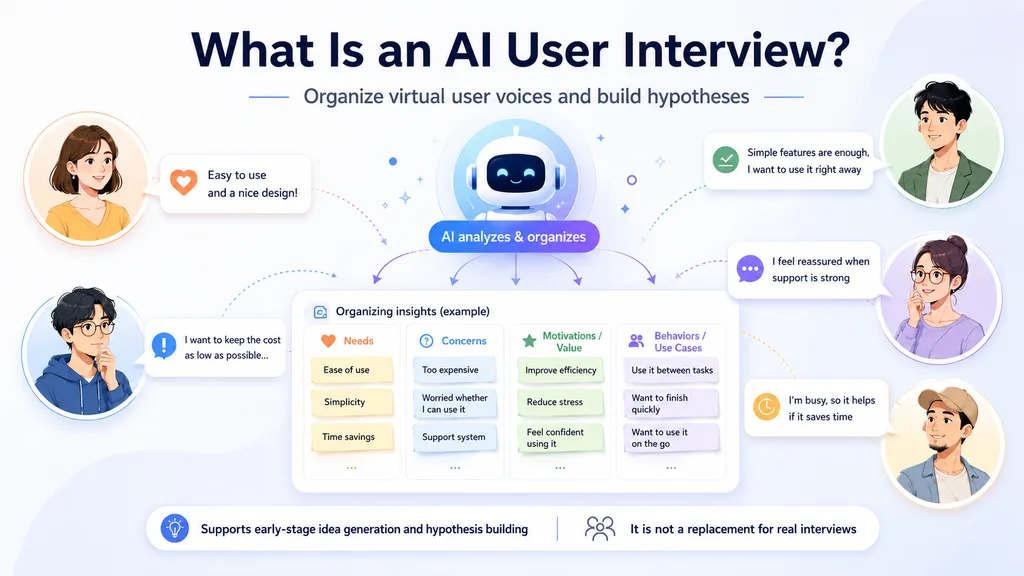
AI User Interview is a tool that helps you explore a topic by generating responses from multiple fictional user personas.
It helps you organize potential user pain points, needs, motivations, and behaviors from different perspectives.
It is not a replacement for real user research, but it can be useful in the early planning stage when you want to develop hypotheses or prepare interview questions.
How to Use
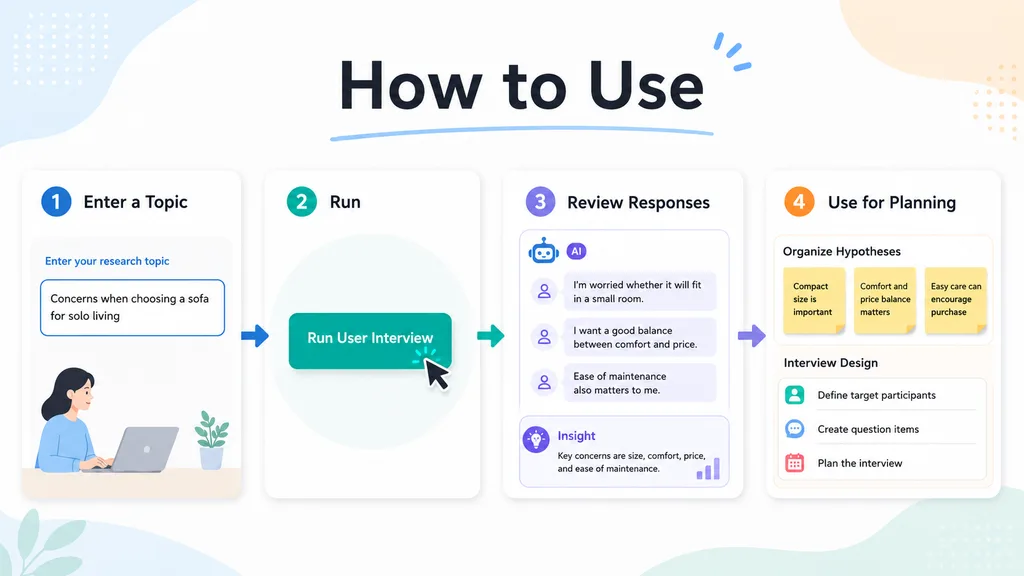
- Enter the topic you want to explore. Example: “Challenges when choosing a sofa for a small apartment”
- Click the “Run User Interview” button.
- Review the AI-generated interview results and insights.
- Use the output to organize your ideas, refine hypotheses, or prepare for real user interviews.
Choose the Output Type That Fits Your Goal
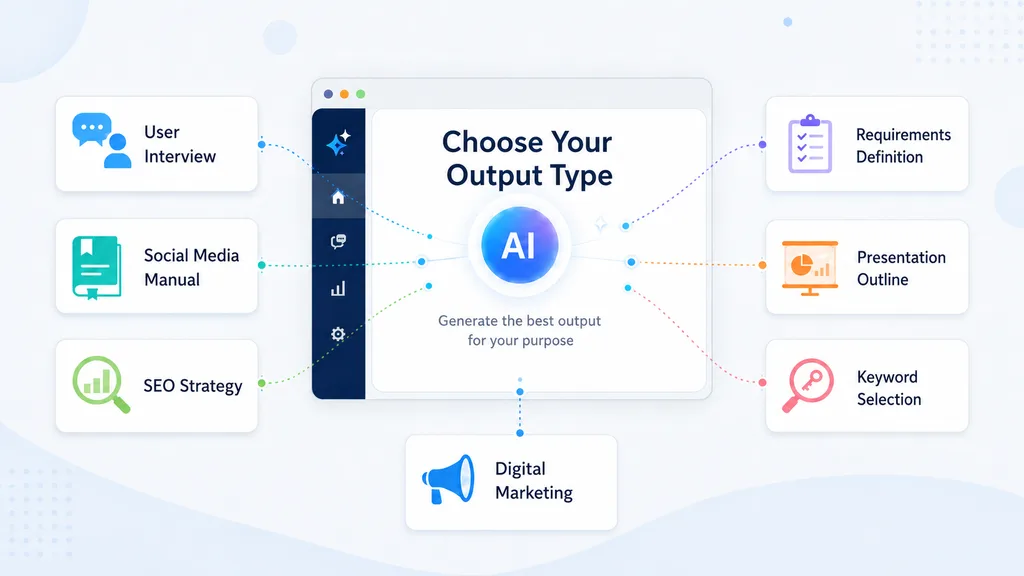
This tool lets you choose different output types depending on what you want to create.
In addition to user interview-style insights, it can also help with marketing planning, SEO strategy, presentation preparation, and early-stage product planning.
Available Output Types
- User Interview: Summarizes potential user pain points, needs, and motivations in an interview-style format.
- Social Media Playbook: Creates a draft framework for social media strategy, content ideas, and basic operation guidelines.
- SEO Strategy: Outlines possible SEO directions, content opportunities, and key topics to consider.
- Requirements Definition: Creates an initial draft of requirements for a web service, tool, or product idea.
- Presentation Outline: Structures the main points and flow for a presentation.
- Keyword Research: Suggests relevant keyword ideas and topic directions.
- Digital Marketing: Generates ideas for awareness, acquisition, and conversion improvement.
How This Tool Works
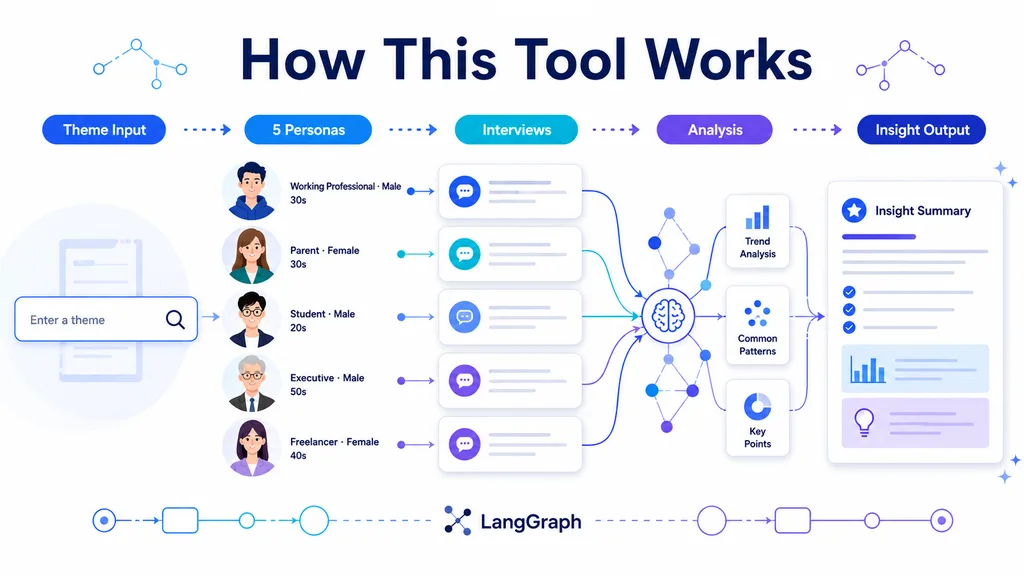
This tool is built with LangGraph, which enables a multi-step AI workflow.
When you enter a topic, the AI first creates five fictional personas with different backgrounds, needs, and perspectives.
It then interviews each persona individually and organizes their responses in detail, helping surface different concerns, expectations, and decision-making factors.
Finally, the tool analyzes all five interview results together and summarizes the key insights, such as common patterns, differences in needs, and potential opportunities for planning.
Instead of returning just one AI-generated answer, this process helps you compare multiple simulated user perspectives and explore the topic from different angles.
Best Practices
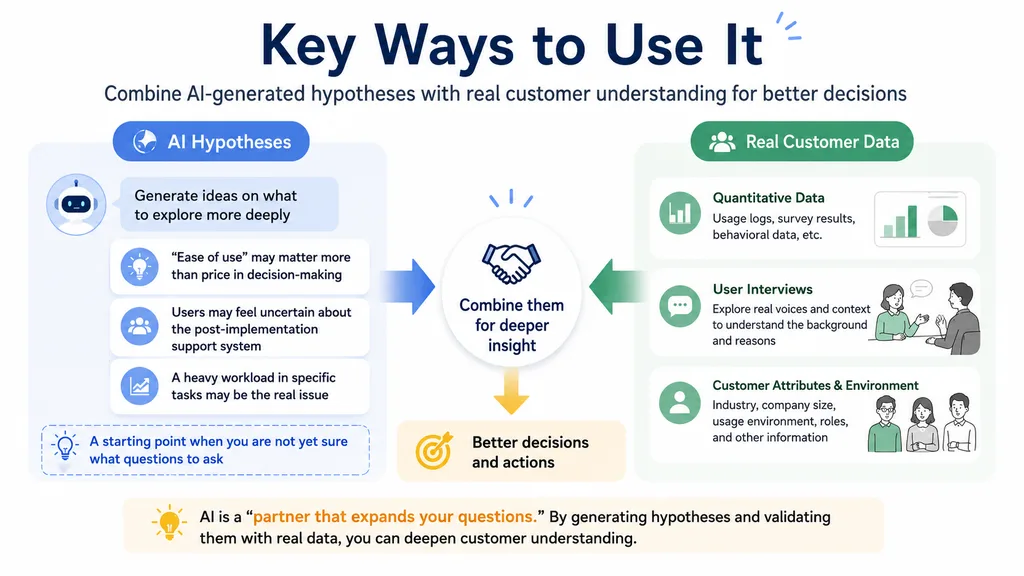
The responses generated by this tool are not actual user feedback.
For important decisions, it is best to combine these AI-generated insights with real customer data, user interviews, or other research methods.
That said, this tool can be very helpful for early-stage ideation and hypothesis building. It is especially useful when you are not sure where to start or what questions to ask, as it can help you move your thinking forward.